How it works
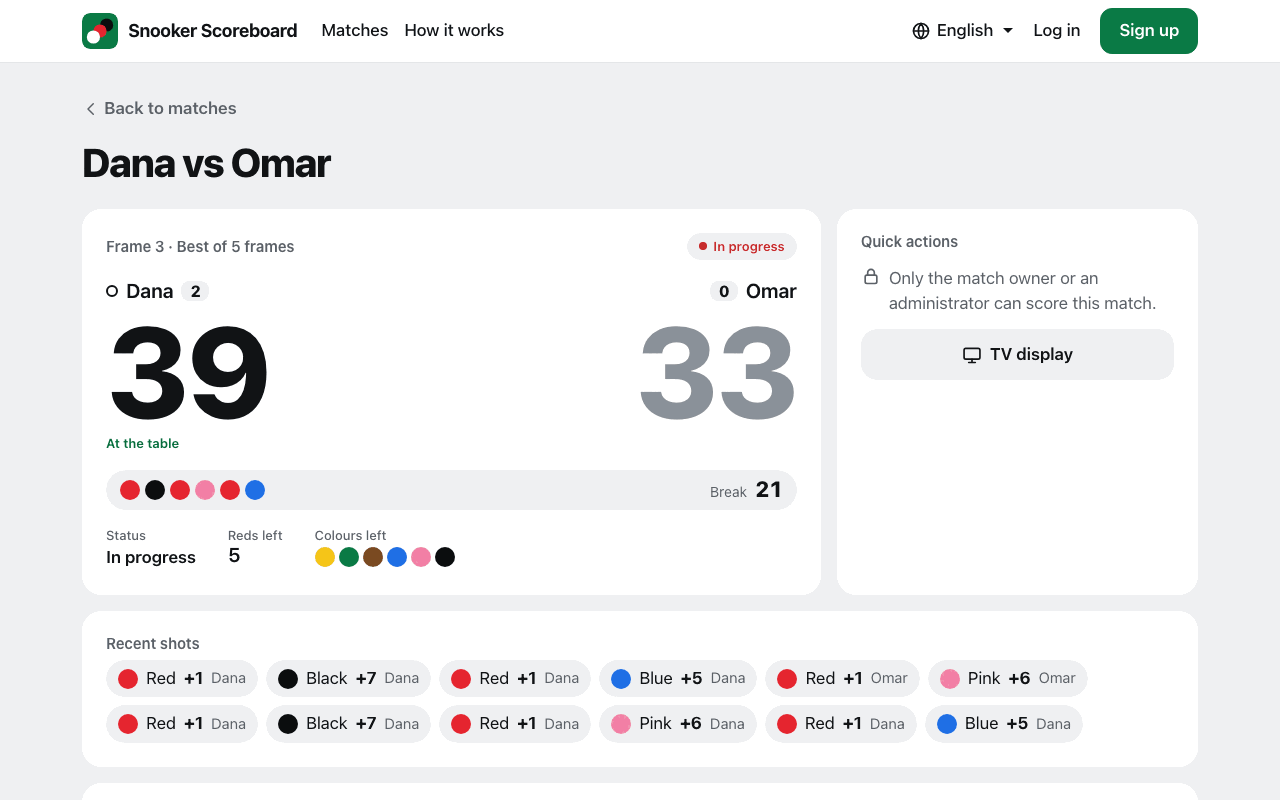
From an empty table to a finished match, in five short parts.
1. Create a match
Log in and choose New match. Type the two players' names and pick the length: a single frame, or any number of frames.
Choose how it ends. "Ends once a player can no longer be caught" is the usual best-of match. "Every frame is played" suits a league night, where 2–2 is a result.
Tick "Make this match private" if only you should see it. Otherwise anyone with the link can watch.
2. Score it on your phone
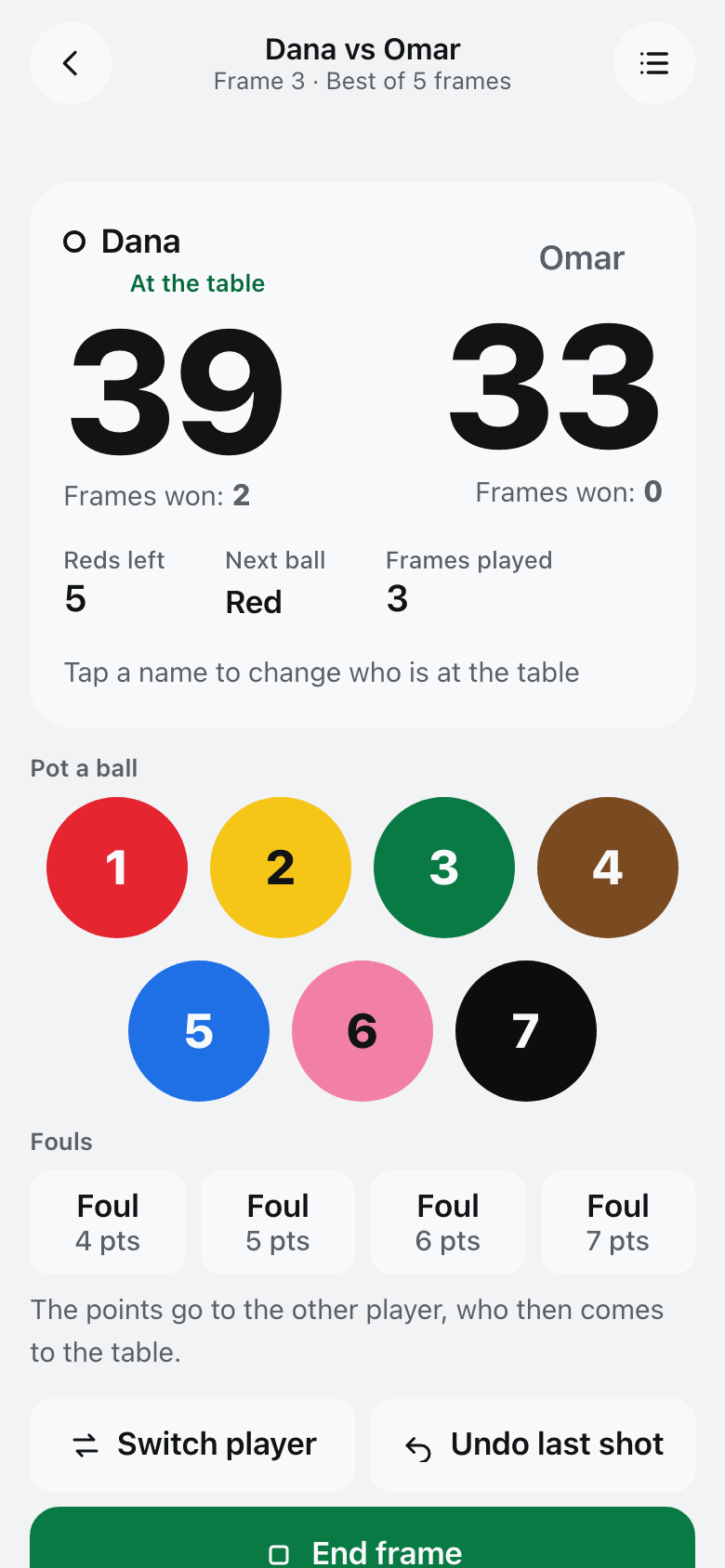
Open the match and choose Mobile controller. Tap a ball each time one is potted. The score, the break and the reds left update by themselves, and only the balls still on the table are offered.
For a foul, tap the points it is worth, from 4 to 7. They go to the other player, who then comes to the table. Tap a player's name, or Switch player, when the turn passes without a foul.
Made a mistake? Undo last shot takes back one shot at a time.
3. Keep scoring with no signal
Once the scoring screen has been opened, it keeps working when the connection drops. A notice shows how many shots are waiting, and they are uploaded in order as soon as the signal is back.
Ending a frame needs a connection, because the result has to be agreed with the server.
4. Show it on a screen
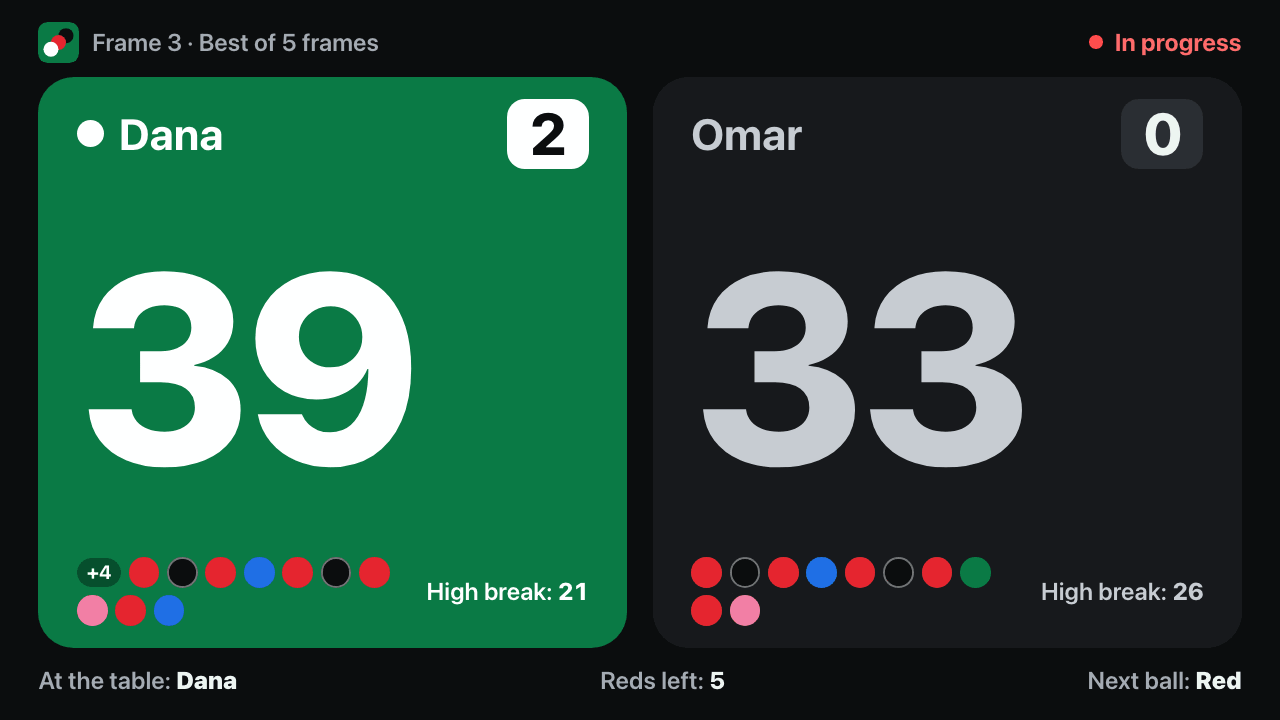
On the match page choose TV display, on a smart TV's browser or a laptop plugged into the TV. It shows both scores in very large numbers, the frames won, each player's shots and who is at the table, and it follows the scoring live.
Anyone with the link to a public match can open the same display on their own phone.
5. Finish the frame and the match
Tap End frame when a frame is over, then start the next one. A frame also ends by itself when the last ball is potted. If the scores are level then, the black is put back, as the rules say.
The match page keeps every frame with its score. If a frame was ended by mistake, Reopen frame puts it back in play.